
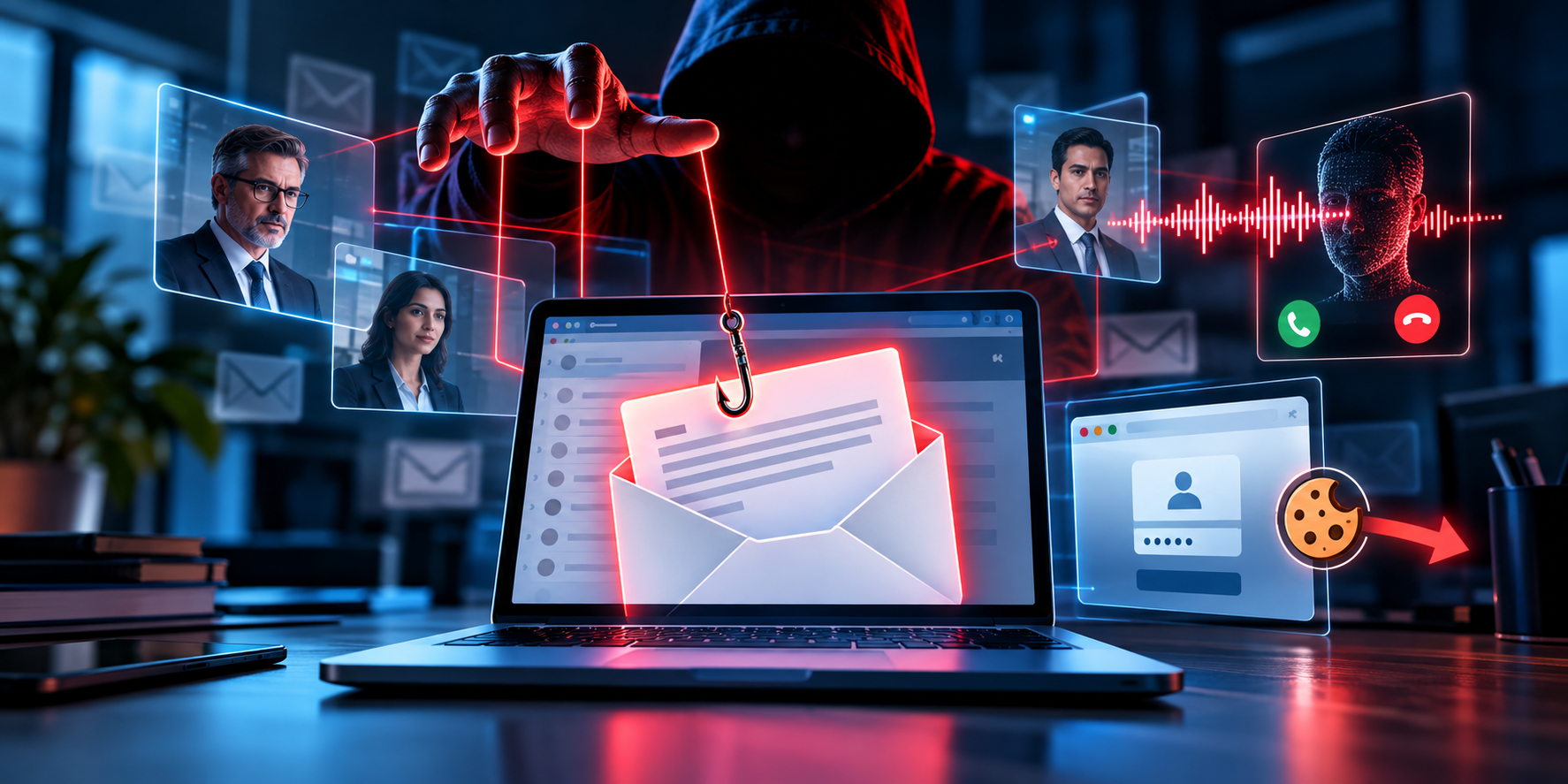
AI has changed the way phishing attacks are created. Suspicious emails filled with spelling mistakes and obvious warning signs are increasingly being replaced by carefully written messages, convincing executive impersonations, and personalized scams designed to exploit trust. The danger extends beyond email. Attackers can combine AI-generated messages with deepfake voice calls, stolen login sessions, and business email compromise (BEC) techniques to make fraudulent activity appear legitimate. For organizations, the challenge is no longer simply teaching employees to identify poorly written emails. It is building security controls that can detect sophisticated deception—even when a message looks authentic.
How AI Is Changing Phishing
Generative AI allows attackers to produce fluent, context-aware messages at scale. Public information about employees, company structures, suppliers, and ongoing projects can help make fraudulent communications more believable. AI-generated voice and video can add another layer of impersonation.
Google Threat Intelligence Group reported in February 2026 that it had observed threat actors using AI to create highly realistic phishing scams. Canada’s National Cyber Threat Assessment 2025–2026 similarly identifies AI-enabled personalization and deepfakes as emerging challenges for social engineering. The key change is that a phishing message can look professional, match the organization’s communication style, and still be malicious.
1. Four AI-Powered Phishing Attacks Every Organization Should Understand

AI-generated email phishing
Attackers use AI to create polished emails that imitate a colleague, supplier, HR department, or service provider. The messages may reference real projects, familiar business terminology, or expected tasks, making them harder to distinguish from legitimate communication.
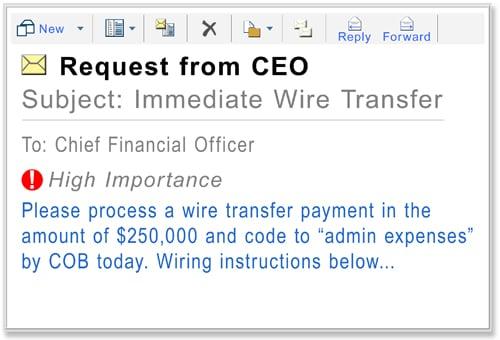
Business Email Compromise (BEC)
Criminals impersonate executives or trusted business partners to request urgent payments, redirect invoices, change bank details, or obtain confidential information. AI can help personalize these messages, but BEC can also involve compromised legitimate email accounts.
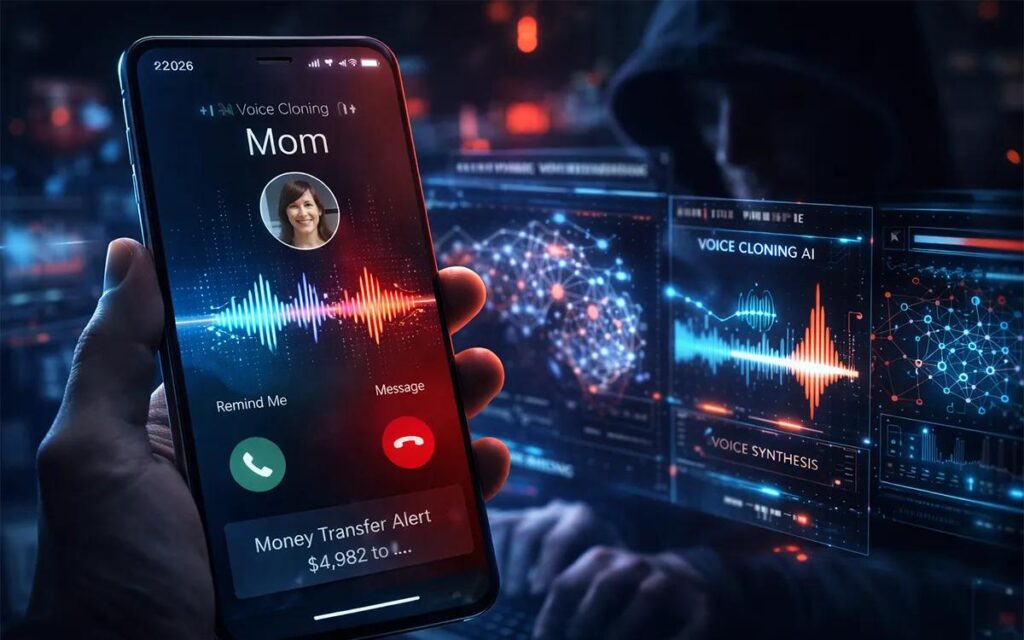
Deepfake voice phishing (vishing)
AI-generated voices can imitate managers, executives, or colleagues. A caller might request an urgent transfer or ask an employee to disclose sensitive information. Familiarity with a person’s voice is no longer sufficient proof of identity.
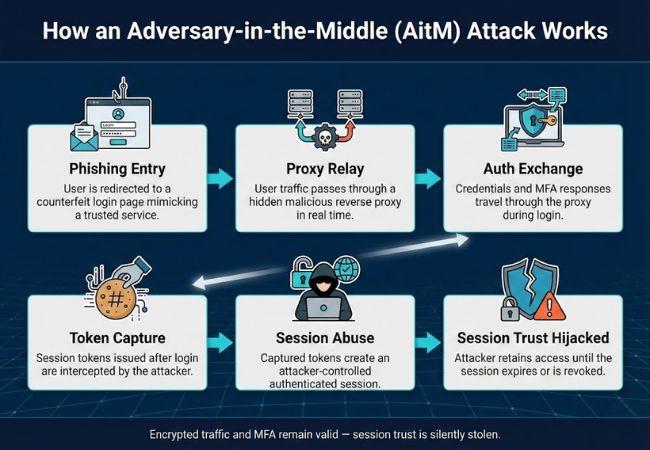
Session-cookie theft
Some phishing sites act as intermediaries between a user and a legitimate sign-in service. They can capture credentials and, in certain attacks, session tokens or cookies. Stolen session material may allow an attacker to access an authenticated account without repeating the normal login process.
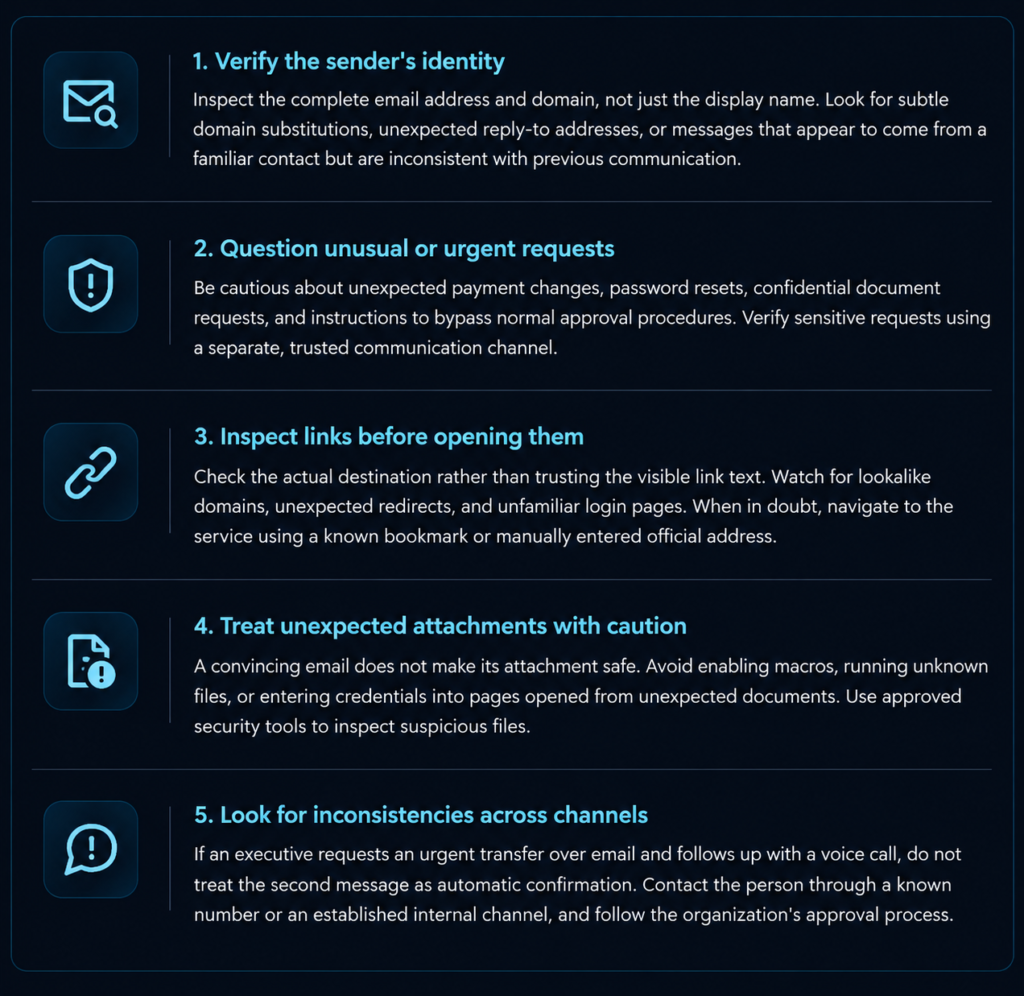
2. Five Practical Ways to Identify Suspicious Messages
AI-generated phishing can look authentic, so employees should focus on the context of a request and how it is delivered—not just spelling or grammar.
3. How Organizations Can Reduce the Risk
Employee awareness is essential, but it should be supported by technical controls. Modern phishing attacks can exploit both human trust and weaknesses in identity infrastructure.
- Email security: Use secure email gateways, anti-phishing detection, attachment sandboxing, and domain authentication controls such as SPF, DKIM, and DMARC.
- Phishing-resistant MFA: Prefer FIDO2 security keys or passkeys where supported. Conventional MFA can still be vulnerable to adversary-in-the-middle phishing and session theft.
- Identity and session protection: Monitor unusual sign-ins, suspicious token use, unfamiliar devices, and unexpected changes to account recovery settings. Revoke sessions and tokens when compromise is suspected.
- Security awareness training: Conduct regular, realistic phishing simulations that include executive impersonation, QR-code phishing, suspicious attachments, and voice-based social engineering.
- Incident reporting: Make it easy for employees to report suspicious messages without fear of blame. Rapid reporting gives security teams a better chance of blocking similar messages before more people are affected.
4. What to Do If Someone Clicks a Phishing Link
If an employee interacts with a suspected phishing message, the response should depend on what happened.
- Report it immediately to the IT or security team and preserve the original message.
- If credentials were entered, use a trusted device and official sign-in page to change the affected password, then revoke active sessions and tokens as appropriate.
- If an attachment was executed or software was installed, contact the security team immediately and follow its containment instructions.
- If a payment or sensitive information was involved, notify the relevant finance, privacy, or incident-response team and contact the financial institution if necessary.
- Investigate the scope by checking account activity, email forwarding rules, OAuth permissions, related messages, and other potentially affected users.
Quick action can limit damage, but organizations should avoid assuming that a password reset alone resolves every form of account compromise.
Conclusion: Trust Must Be Verified, Not Assumed
AI-powered phishing is changing the economics and quality of social engineering. Attackers can create persuasive messages, imitate trusted individuals, and combine email, voice, and credential-theft techniques into a single campaign. The answer is not to expect employees to recognize every AI-generated message. Organizations need a layered defense that combines security awareness, strong identity controls, phishing-resistant authentication, effective email protection, and continuous monitoring. At Clear Infosec, phishing simulations and security awareness training can help organizations assess how employees respond to realistic social-engineering scenarios. Combined with VAPT, Red Teaming, and managed security services, these measures help identify weaknesses before attackers exploit them.
The most important rule is simple: when a message asks you to act urgently, verify the request independently before you click, share information, or authorize a transaction.